How To
How to Renew Your Membership
To improve the membership renewal experience and automate renewal reminders, all members are required to access the Member Portal using their personal login credentials.
This guide will help you:
- Log in to the Member Portal
- Reset your password
- Access your member area
- Renew your membership subscription
- Update your personal and family member information
1. Introduction
To provide a smoother and more efficient renewal process, membership renewals are now managed through the Member Portal.
By accessing your personal member area, you will be able to:
- Renew your membership subscription
- Manage your account details
- Update information for associated family members
- Access your membership records securely
This guide provides step-by-step instructions on how to access the portal, reset your password, locate the renewal section, and successfully complete your membership renewal.
2. Step-by-Step Guide
2.1. Access the Login Page
To access the Member Portal:
- On a computer or tablet, click the red login icon located in the top-right corner of the website.
- On a mobile device, tap the menu icon (☰) in the top-right corner and select Log In.
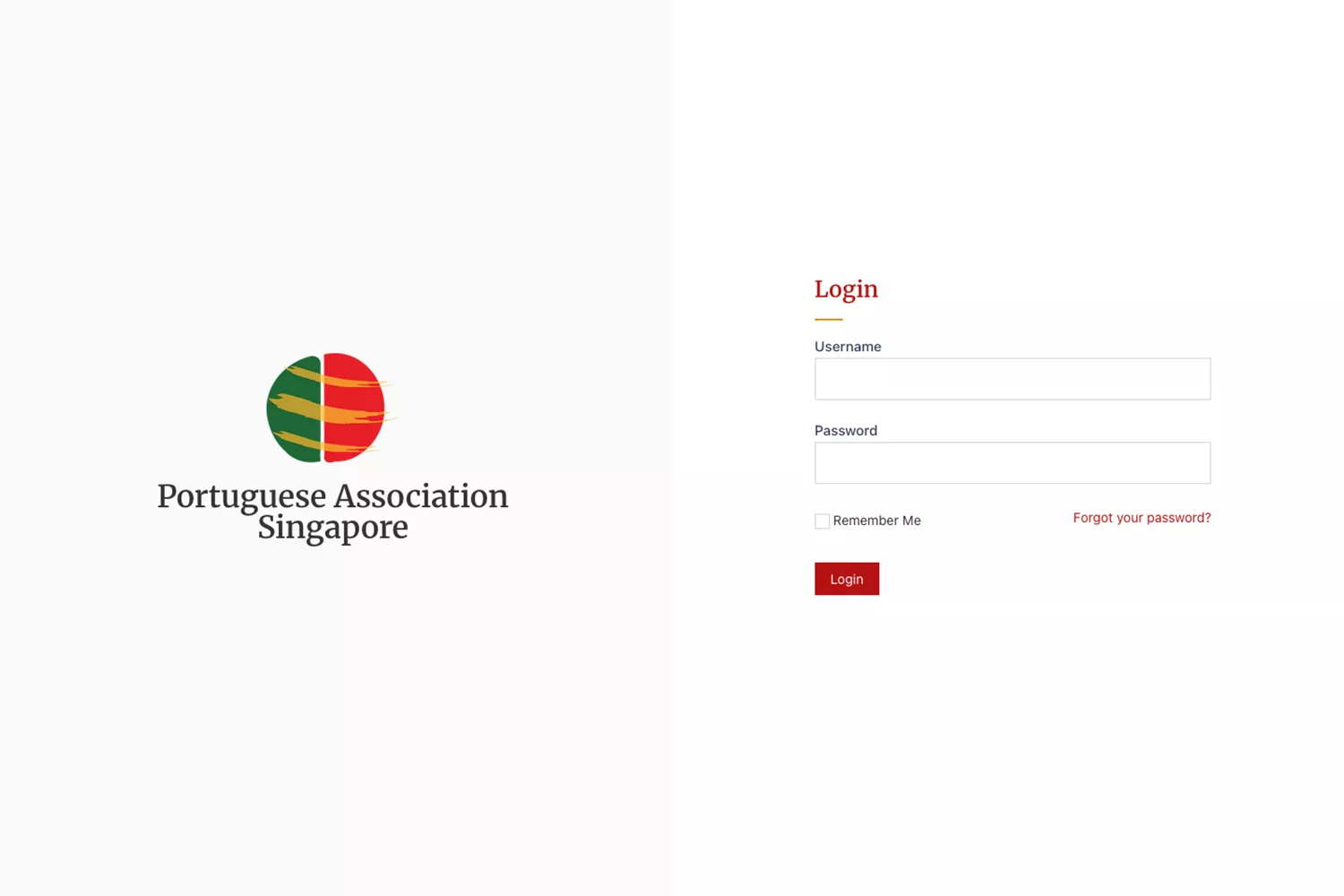
In both cases, you will be redirected to the login page.
If you are unable to access the login page, you can use the following direct link: https://portugueseassociationsg.com/login/
2.2. Log In to Your Account
To log in, use your membership number as your username in the following format: APS00000
For example:
Membership Number: 123
Username: APS00123
Enter your password and click Log In.
If you have forgotten your password, or if you have never received one, please refer to the Reset Password section of this guide.
2.3. Access Your Profile
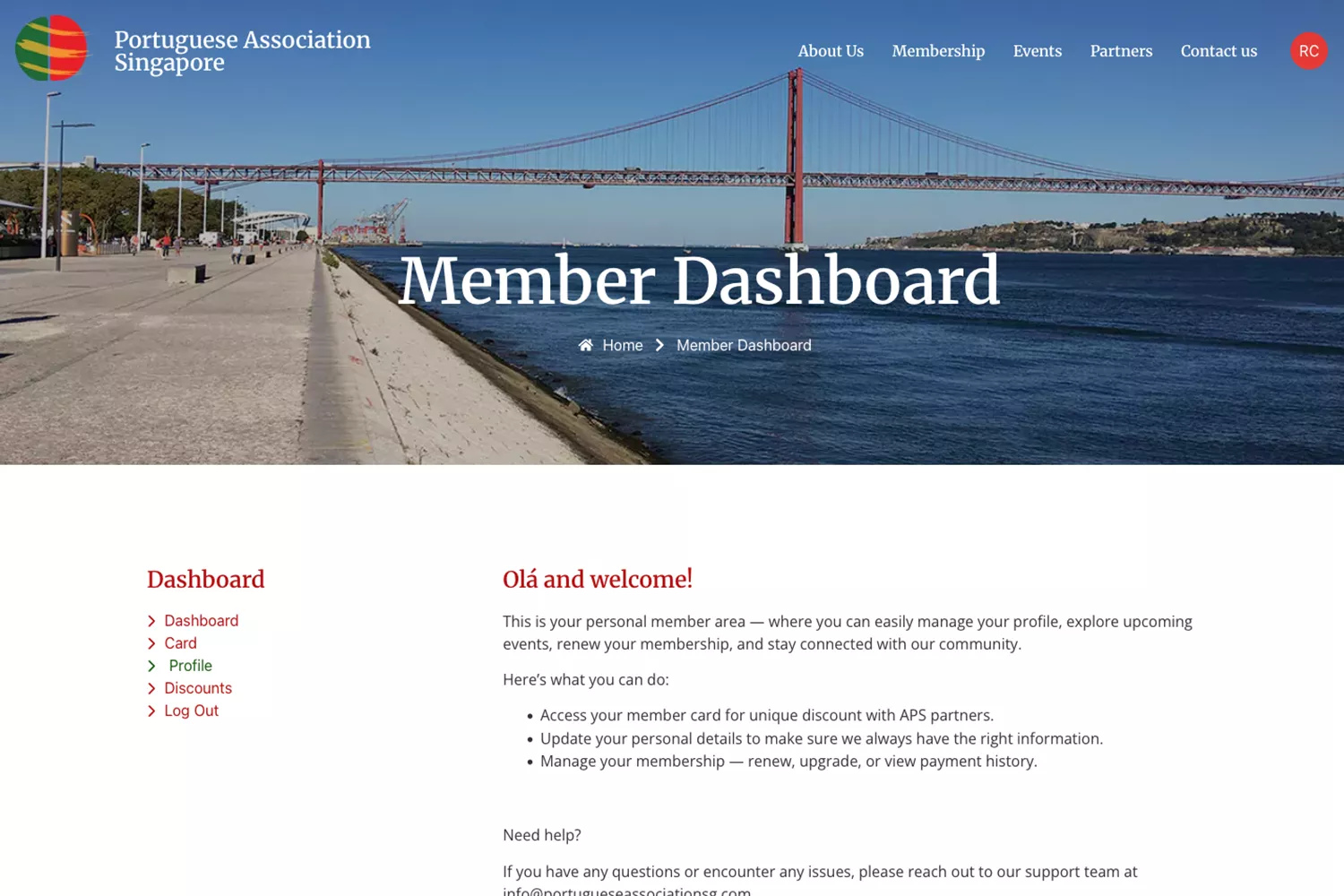
Once logged in, click on your profile to access your member area.
From this page, you can view:
- Your membership information
- Associated family member profiles
- Membership status and renewal information
Each profile includes the following options:
- Renew Subscription
- Edit Profile
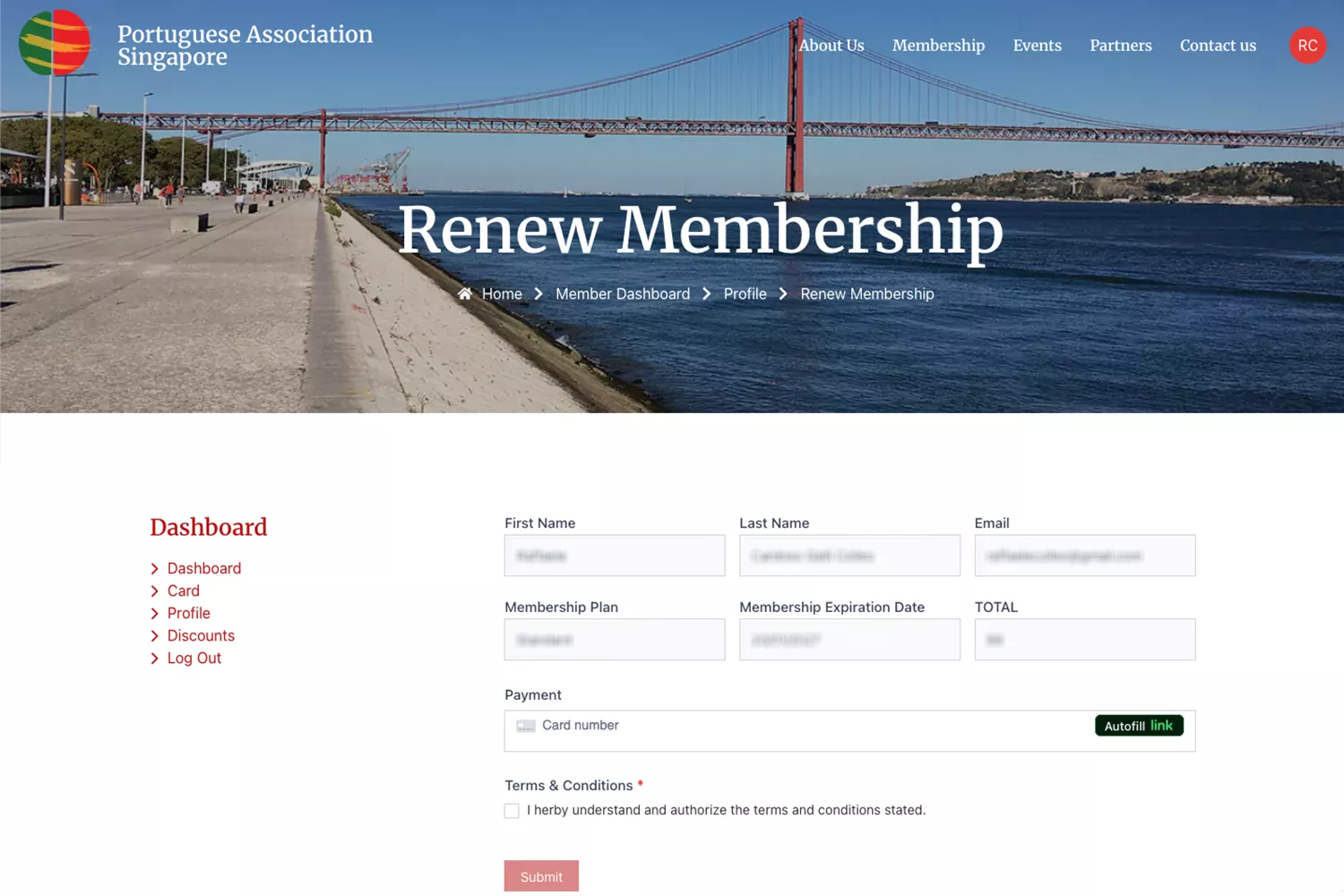
The Renew Subscription button will take you directly to the membership renewal page.
The Edit Profile button allows you to update your personal information and profile details.
2.4. Renew Your Membership
On the renewal page, your membership details will be displayed for review.
Please verify that all information is correct before proceeding with the renewal process.
Once the renewal has been completed successfully, a confirmation message will be displayed.
Your membership renewal will then be processed and finalized.
If any of your personal information is incorrect, please contact the Membership Support Team before proceeding: members@ptassociationsg.com

3. Reset Password
3.1. Access the Password Reset Page
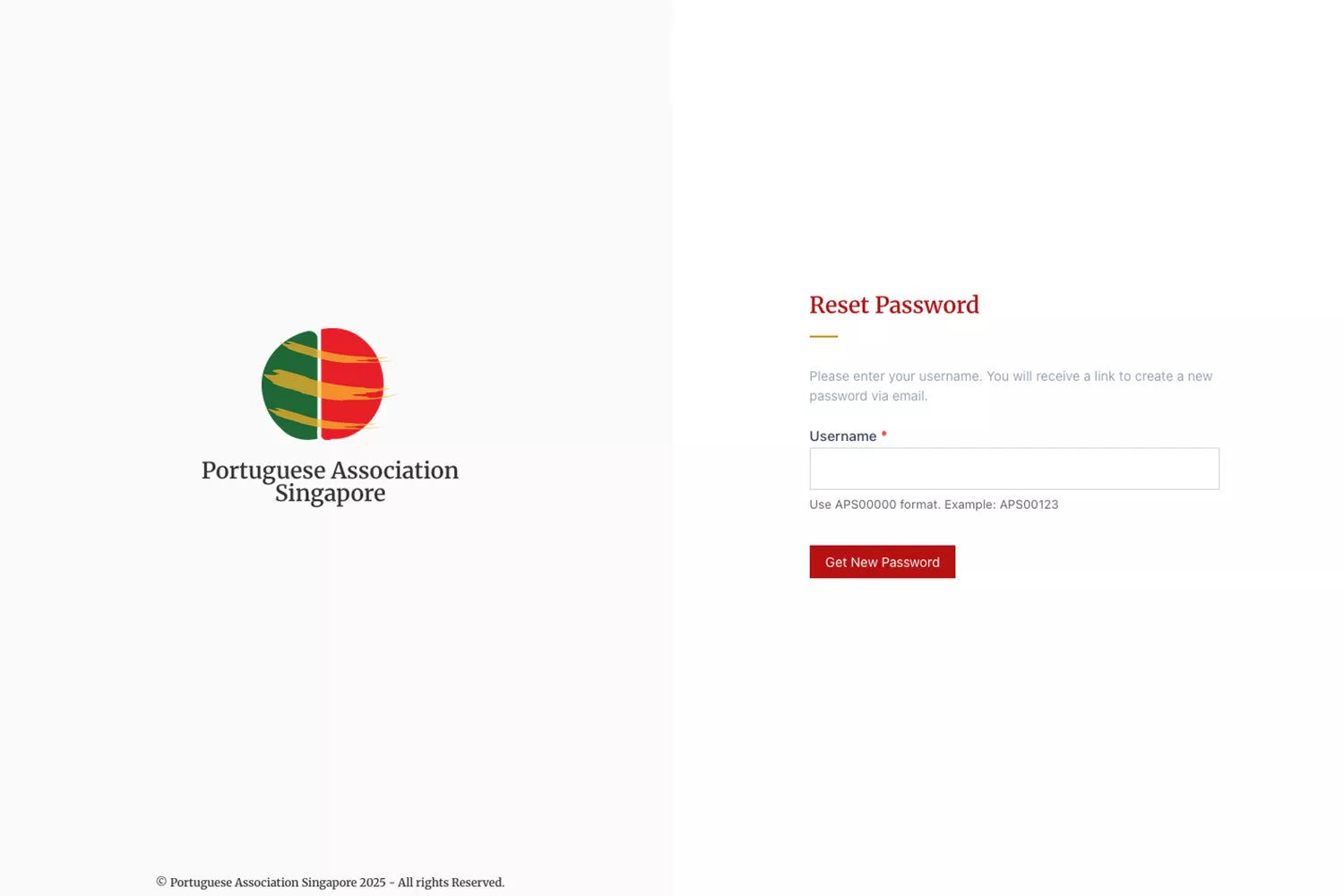
If you have forgotten your password, click the Forgot Password link on the login page or access the password reset page directly: https://portugueseassociationsg.com/reset-password/
Enter your username using the format: APS00000
You will receive an email containing instructions and a secure link to create a new password.
Once your password has been reset, you can immediately use it to access the Member Portal.
4. Need Assistance?
If you experience any difficulties during the login, profile update, or membership renewal process, please contact the Membership Support Team by completing the support form available on our website: https://portugueseassociationsg.com/contact-us/
Our team will review your request and assist you as soon as possible to ensure your membership renewal is completed successfully.